Market data · Setup
StrategyXL gets its market data from Tiingo using your own free API key — bring-your-own, so prices flow straight from Tiingo to your spreadsheet without passing through us. It's a one-time setup of about five minutes, and your key stays on your machine.
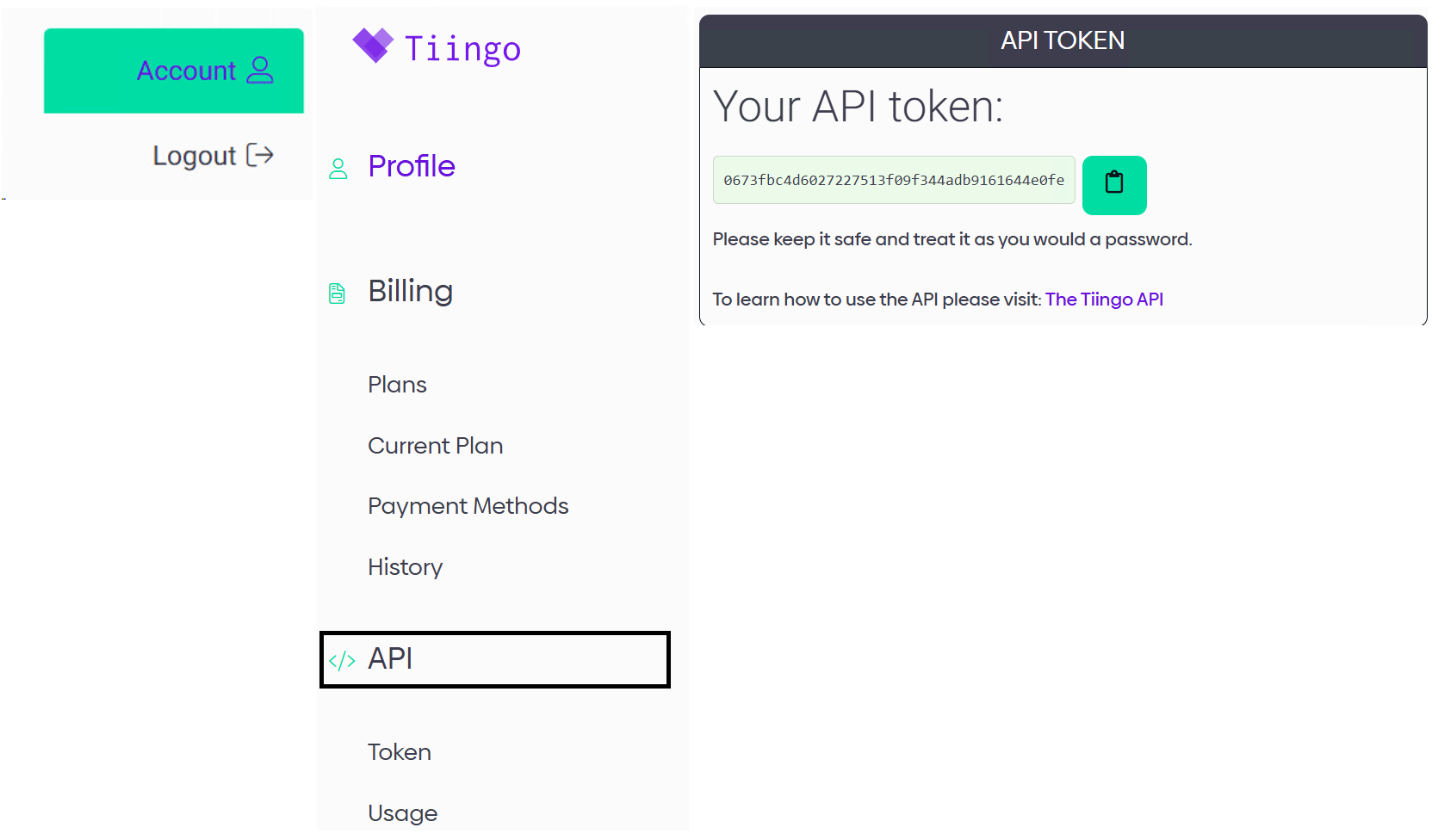
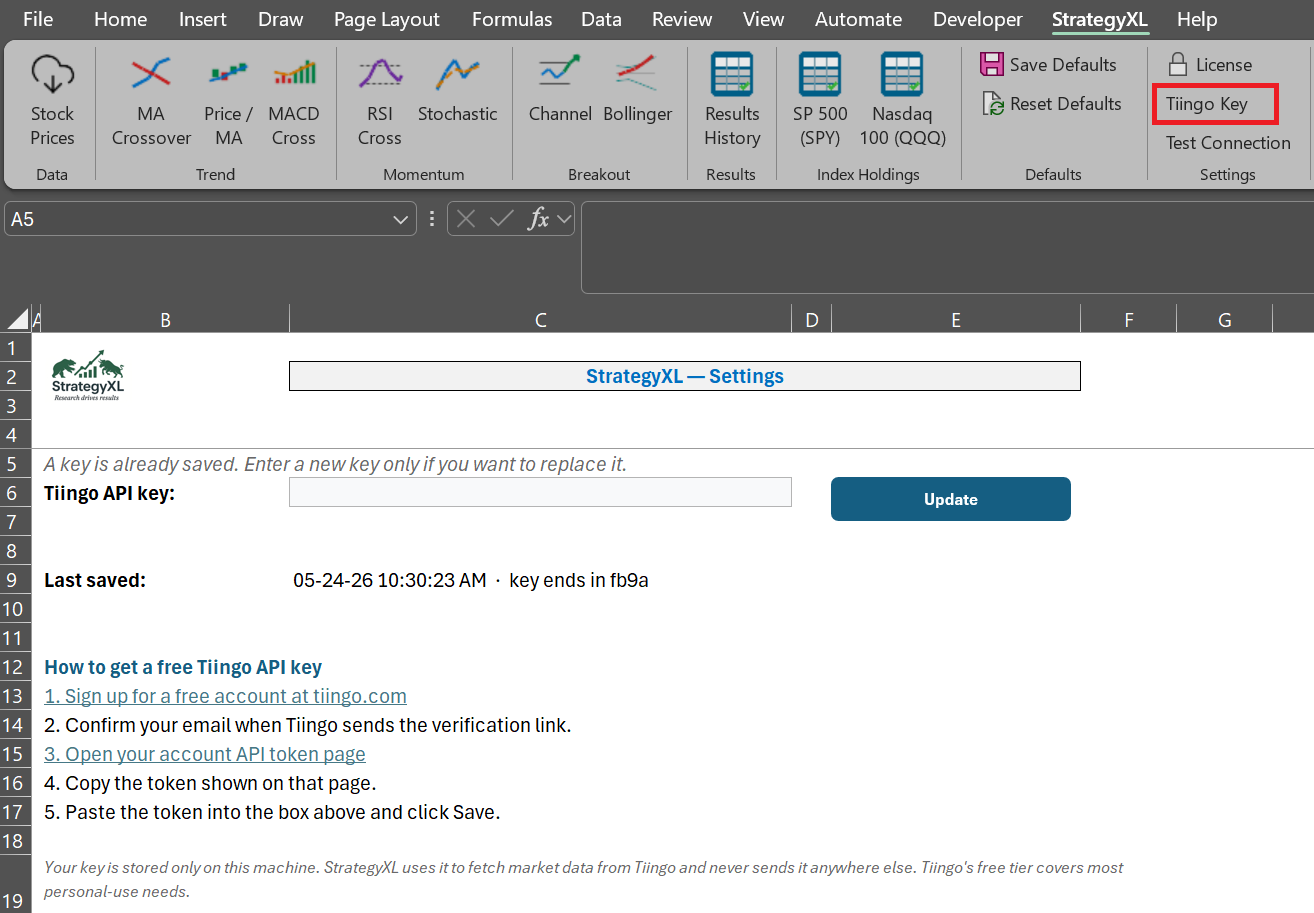
In Excel, open the StrategyXL ribbon → Tiingo Key, paste the token you just copied into the API key field, and click Save. That's a one-time setup per machine — every feature that needs market data uses this key from now on. To confirm it works, click Test Connections on the ribbon for a quick OK/fail check.
Tiingo's free Starter plan covers 30+ years of end-of-day prices on U.S. stocks and ETFs, with 500 unique symbols per month, 50 requests per hour, and 1 GB of bandwidth per month — plenty for typical personal use. If you batch across many tickers or run long historical backtests, Tiingo's paid plans lift those caps.
Your API token is stored in a local database on your machine. StrategyXL never sees it — it only travels between your copy of Excel and Tiingo's servers.
New to StrategyXL? The QuickStart walks through install, license, and this key in order. Want live data too? See the Schwab connection guide.
Stuck on a step? — every message gets a real reply.