Live Data · Setup
StrategyXL's Live Data runs on your own Charles Schwab connection — you register your own free Schwab developer app and bring its credentials. Everything stays read-only and on your machine; nothing routes through a StrategyXL server. This walks through every screen.
Before you start: it's all free, but Schwab reviews your API-access request — which can take up to two business days — so it's a two-sitting process: do the one-time setup (Parts 1–3), then connect once you're approved (Part 4). Parts 1–3 you do once, ever; Part 4 (connecting) you'll repeat about once a week when Schwab's sign-in expires.
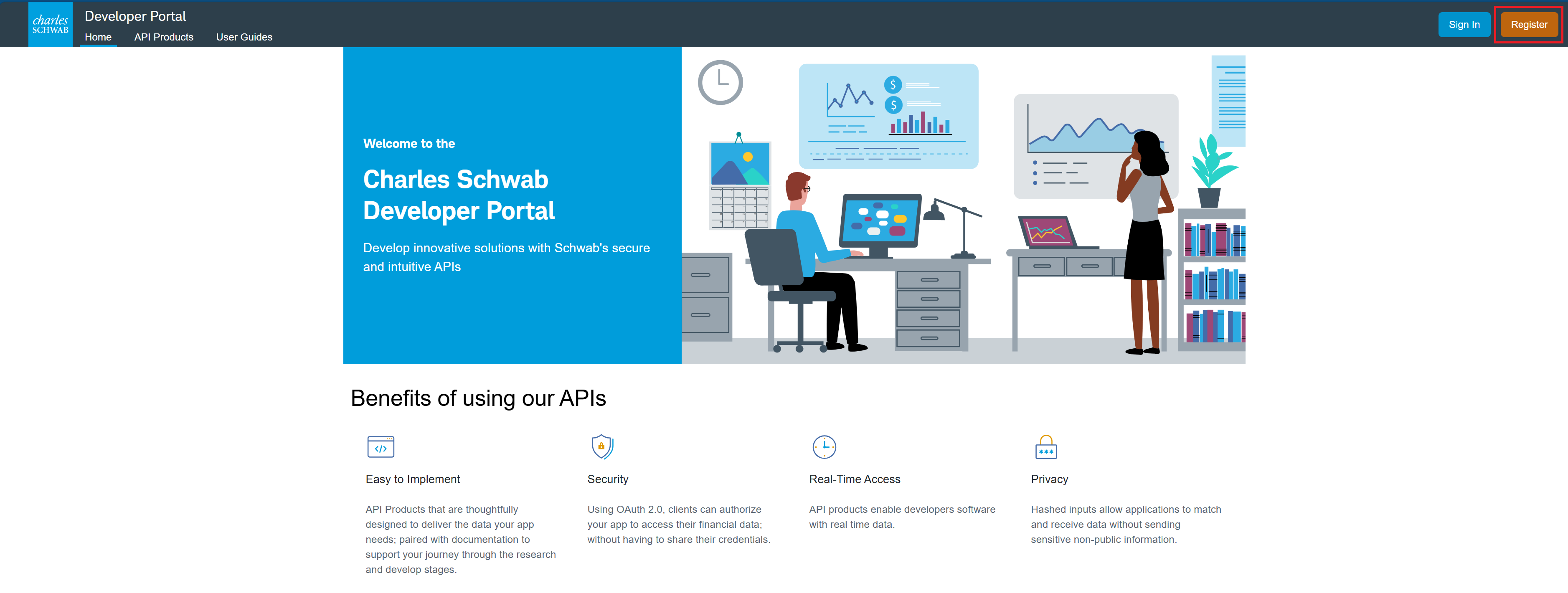
Go to developer.schwab.com and click Register in the top-right. (This developer account is separate from your regular Schwab login.)
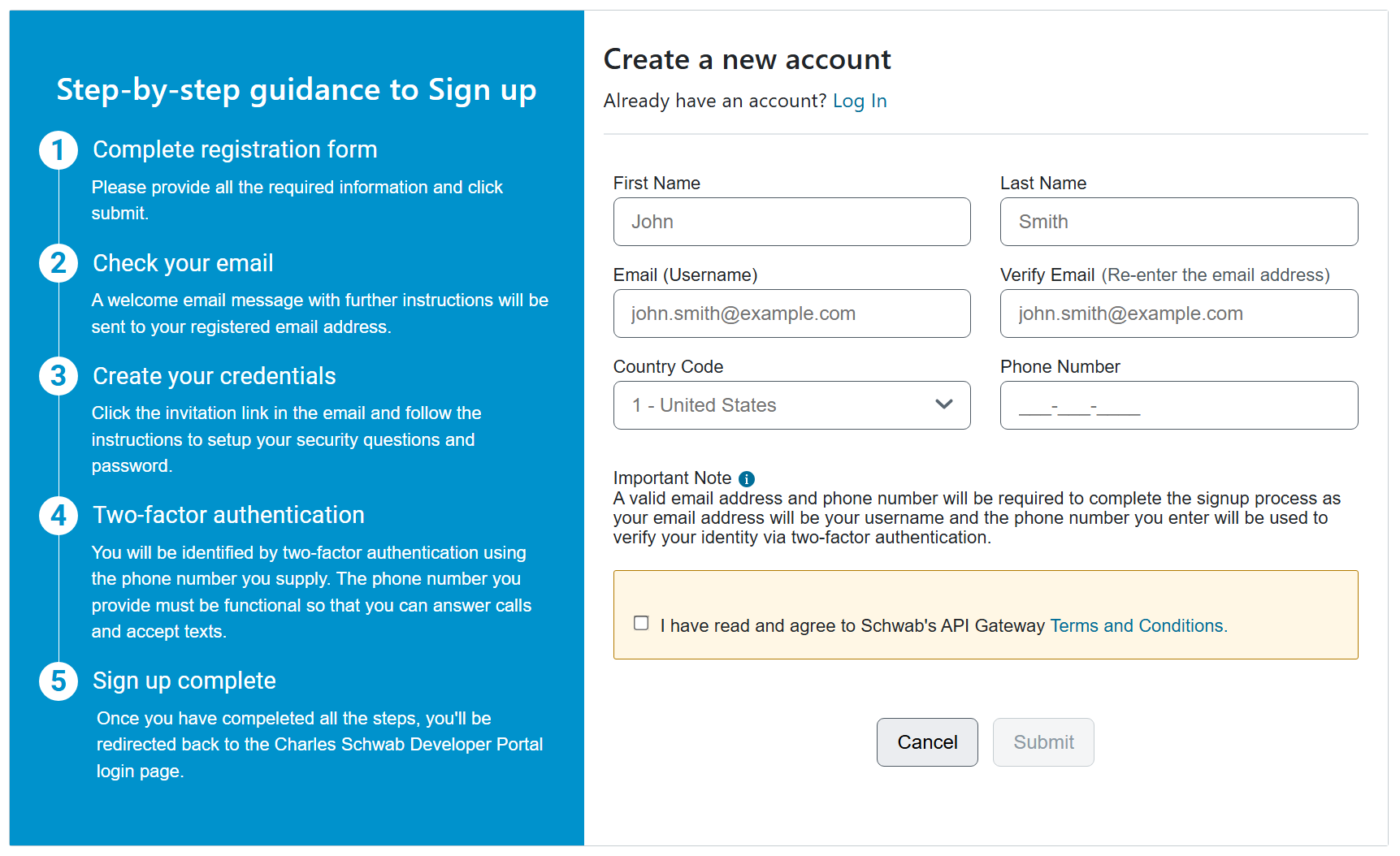
Complete the registration form — your name, email, and a working phone number (used for two-factor verification) — accept the terms, and submit.
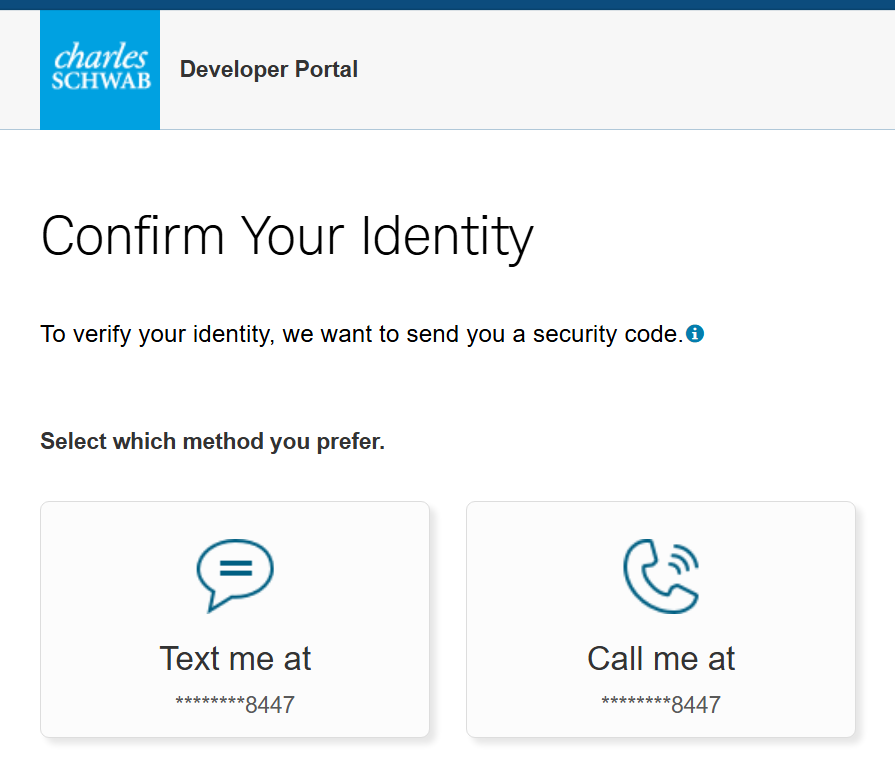
Verify your identity — Schwab sends a security code by text or call. Pick one, then enter the code.
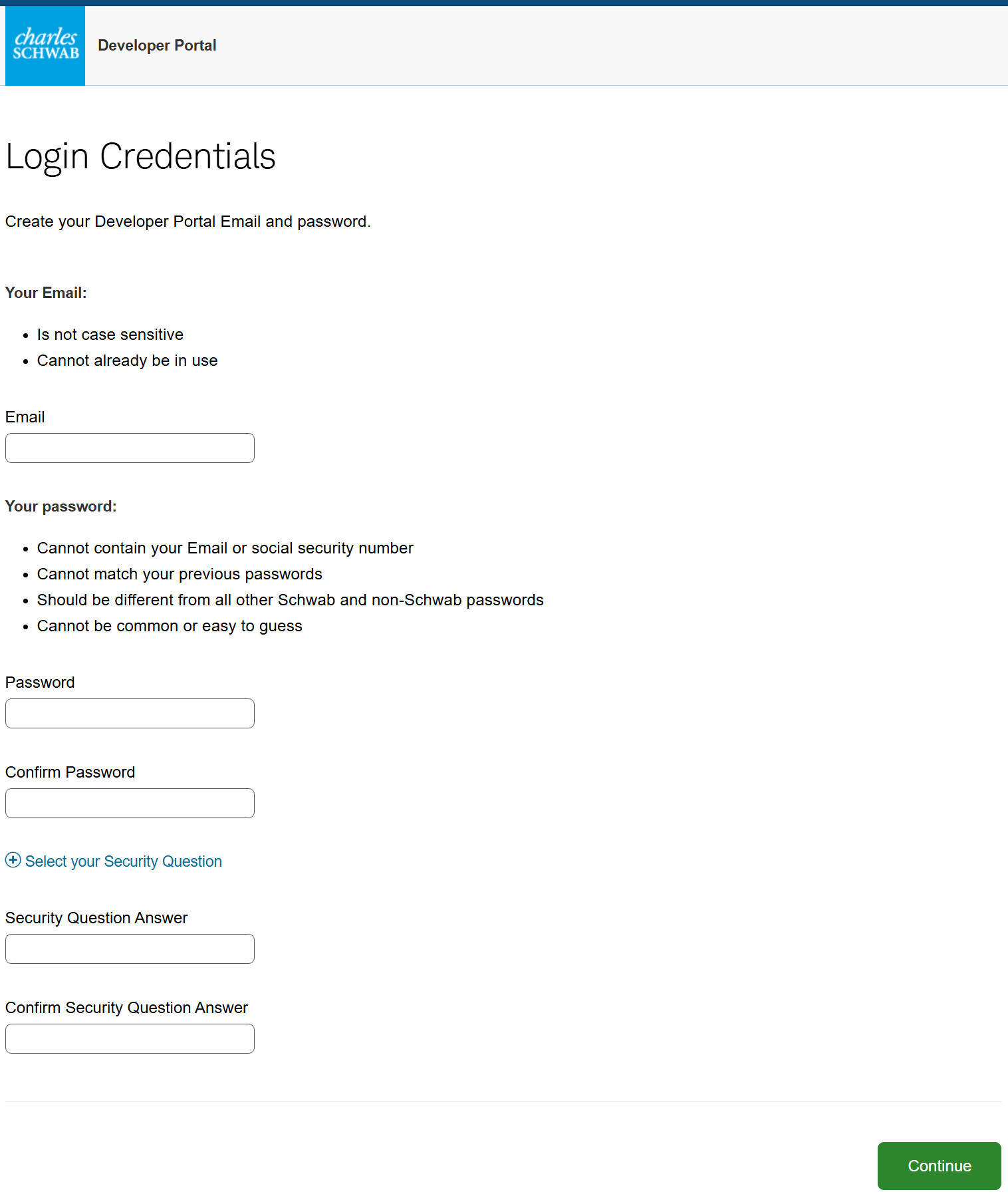
Create your Developer Portal login credentials — the email and password you'll sign in with, plus a security question.
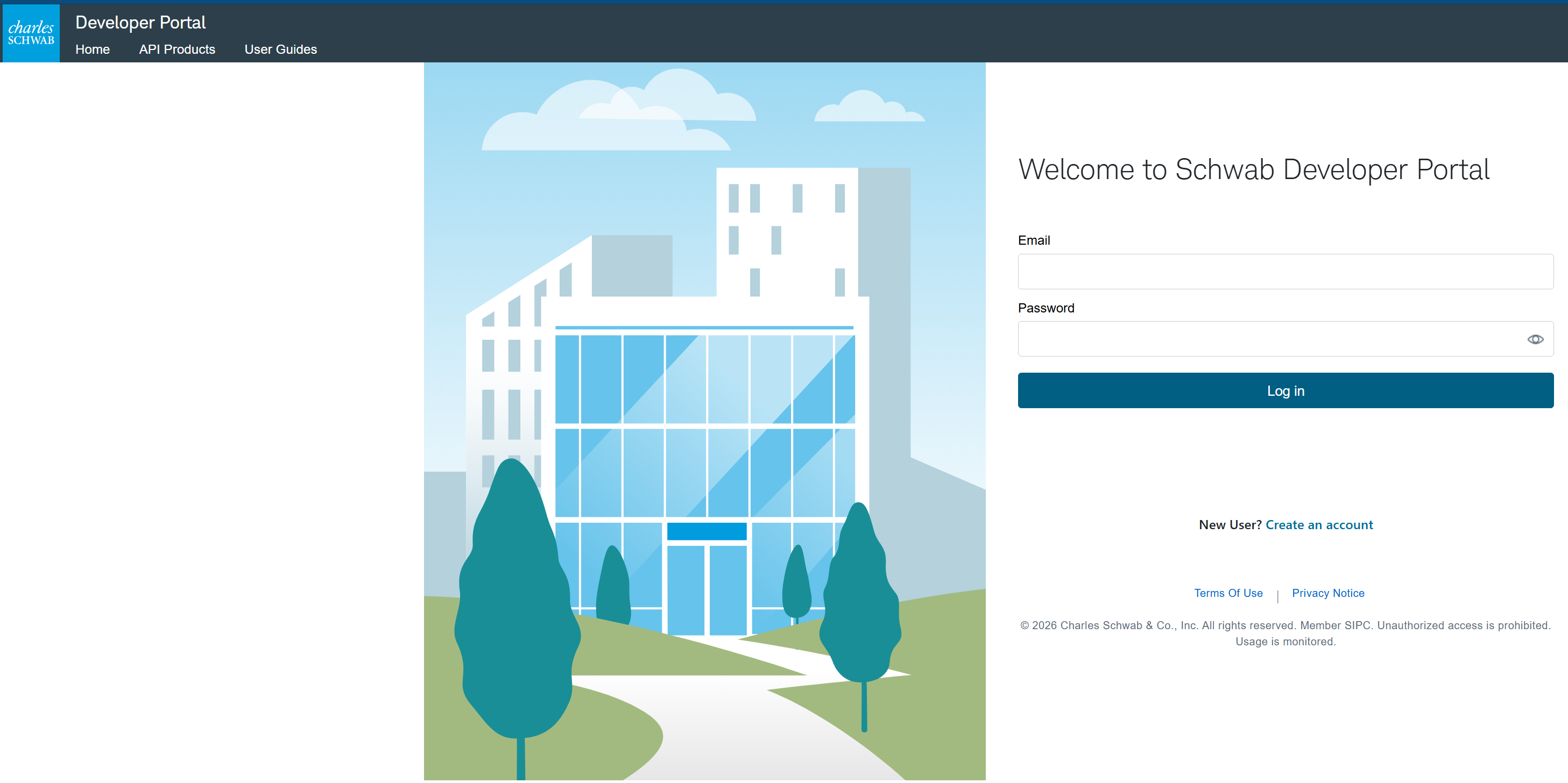
Sign in to the Developer Portal with the credentials you just created.
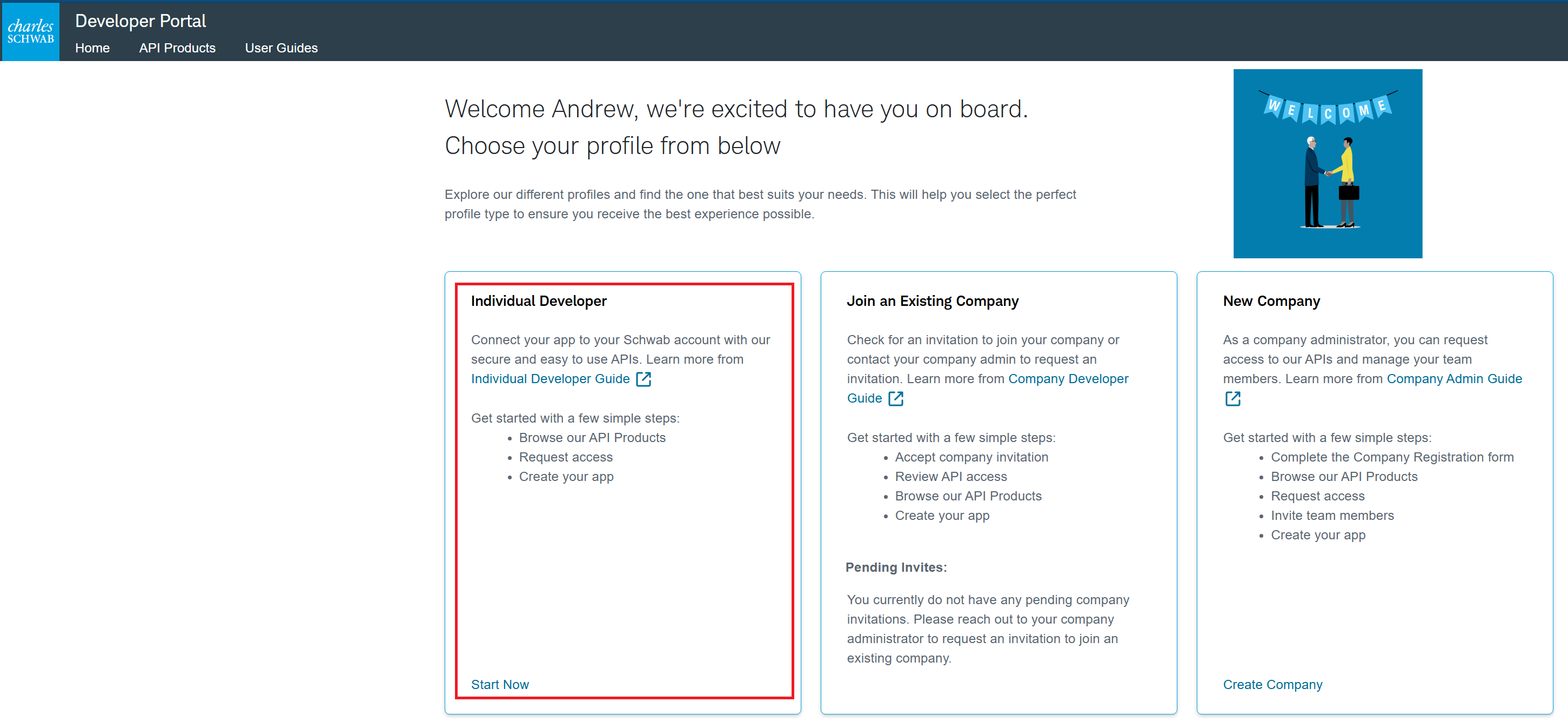
On the welcome screen, choose the Individual Developer profile and click Start Now.
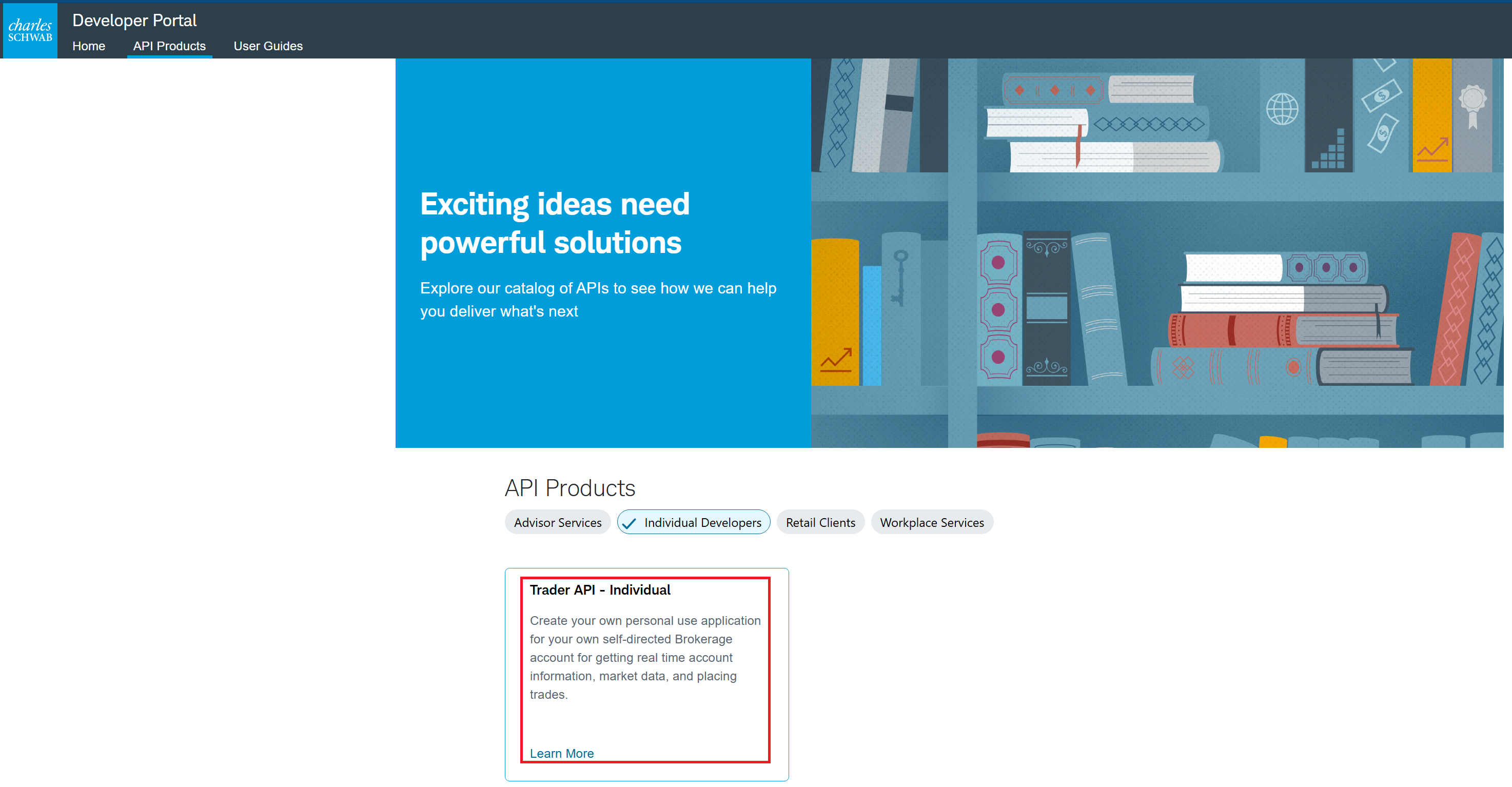
Go to API Products and open the Trader API – Individual card.
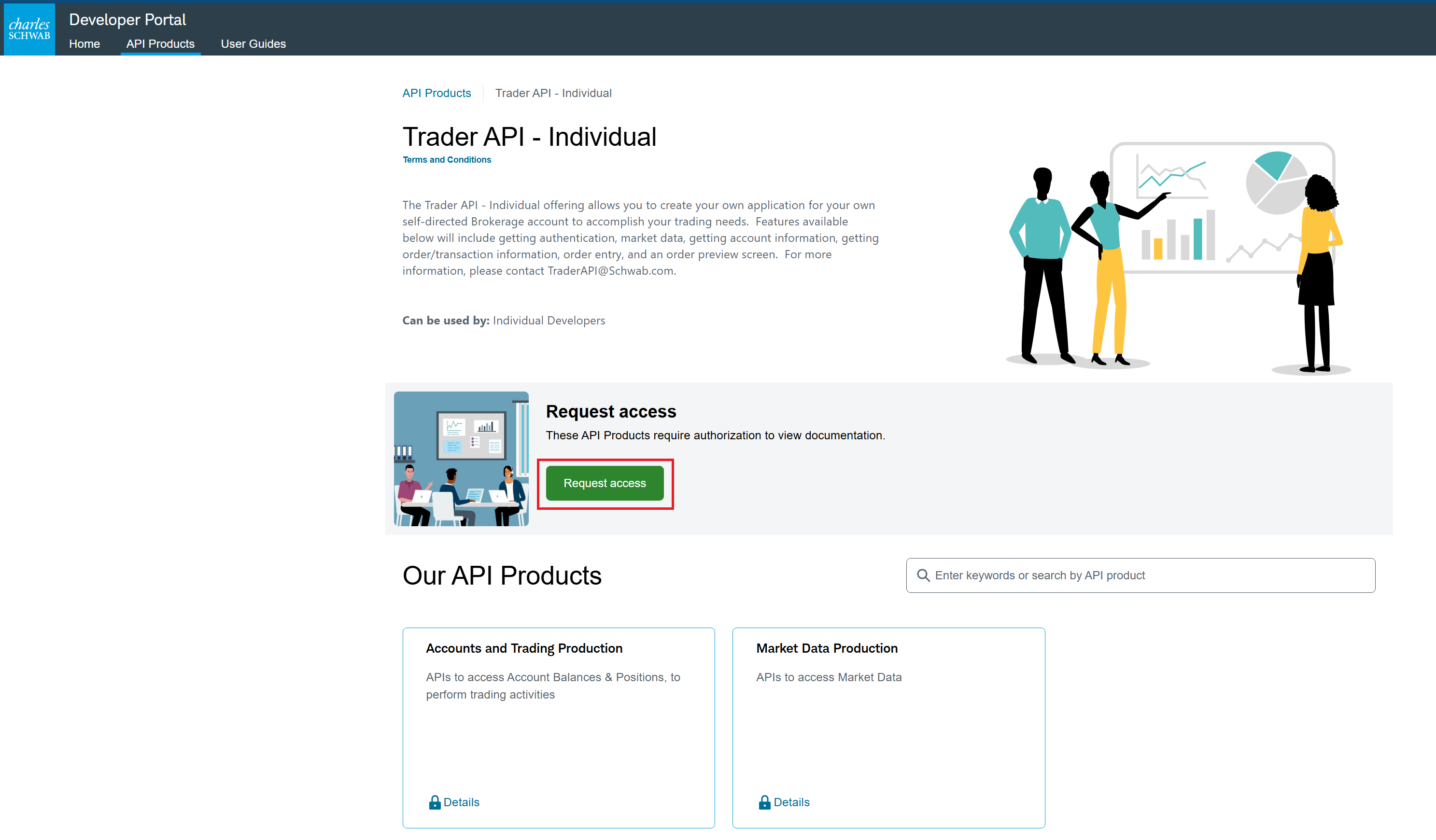
Click the green Request access button. The two products it covers are shown below — Accounts and Trading Production is the full one (live streaming plus snapshots) and the one to use; Market Data Production is snapshots-only. (Remember: StrategyXL only ever reads market data — it can't trade.)
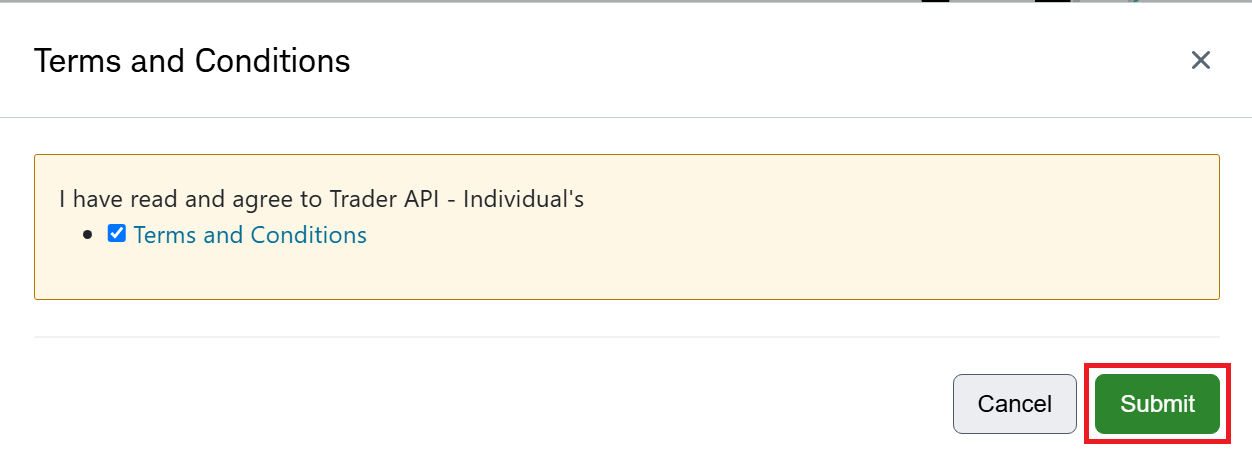
Check the box to accept the Terms and Conditions, then click Submit.
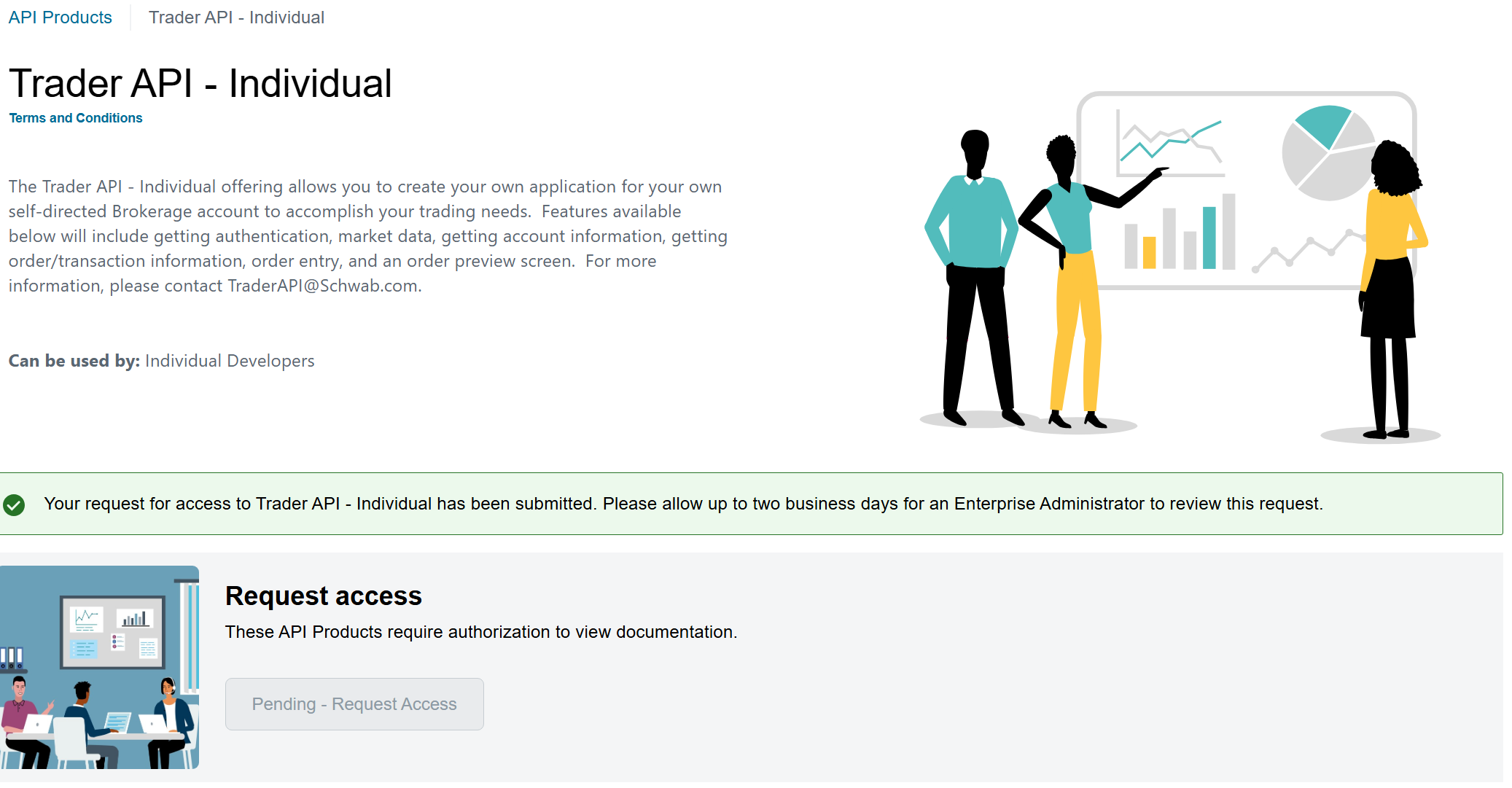
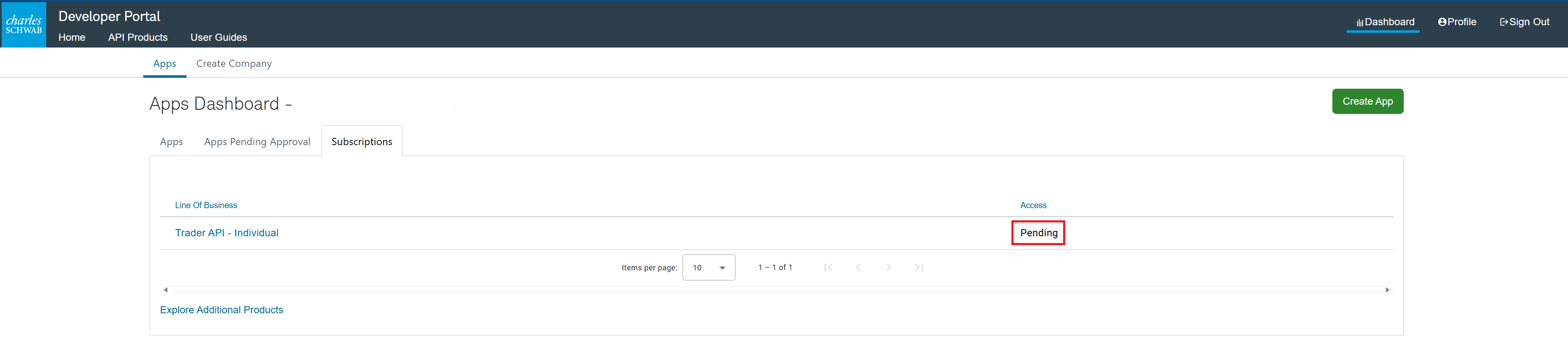
Your request is in. Schwab reviews it — up to two business days. You can track it in your Apps Dashboard → Subscriptions, where it shows Pending until it's approved.
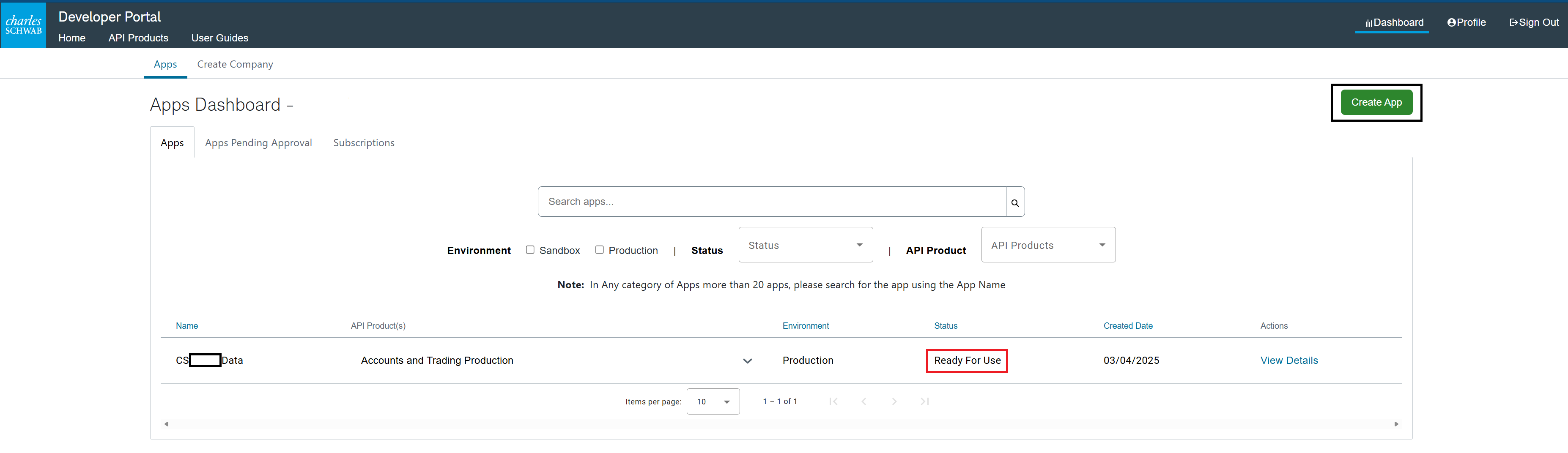
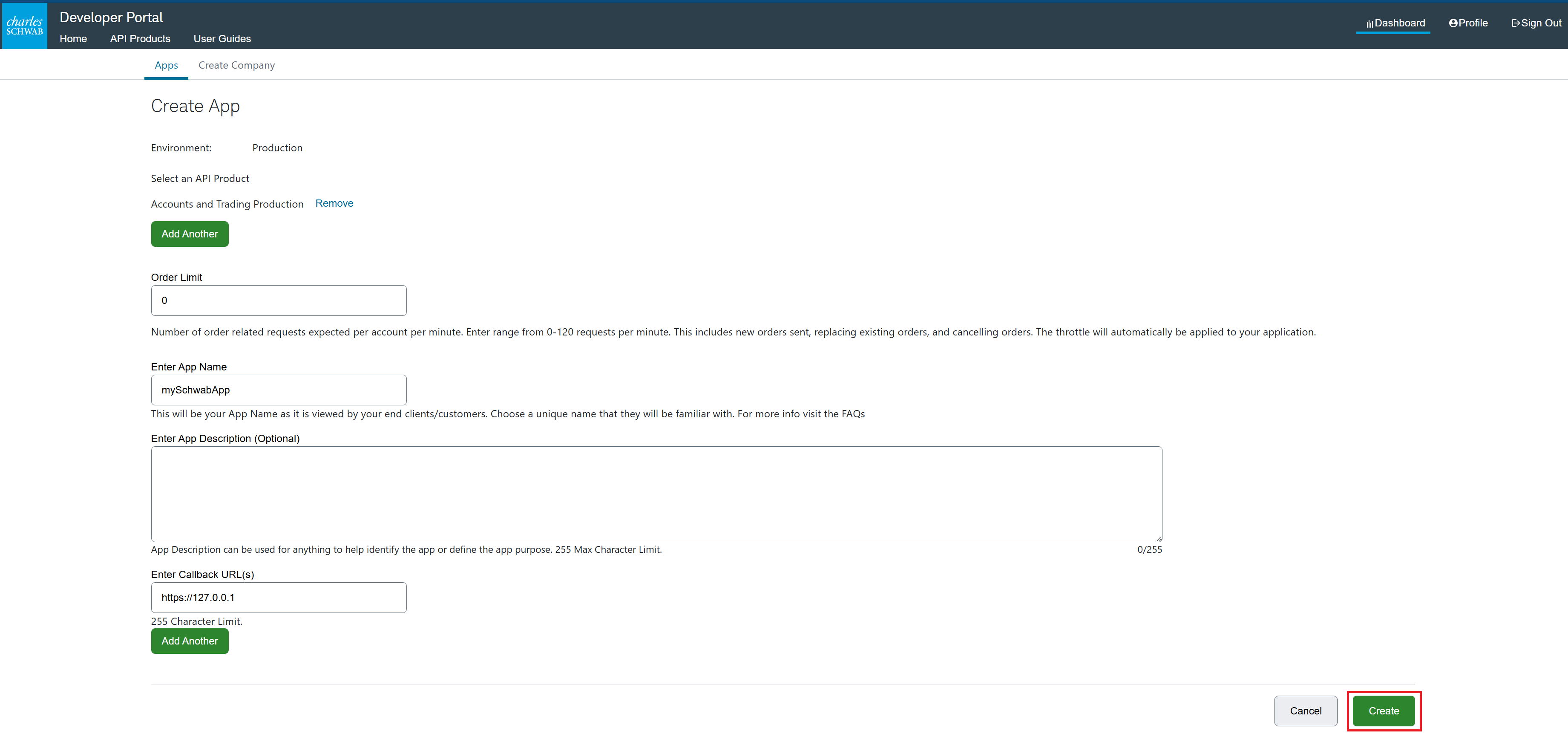
Once your access shows Ready For Use, go to your Apps Dashboard and click Create App.
Fill in the app: select the Accounts and Trading Production
product, give it a name, and — the important part — set the Callback
URL to exactly https://127.0.0.1
(it must match character-for-character). Set the Order Limit to
0 — StrategyXL never places orders, and 0 tells Schwab to throttle
order requests to zero, an extra safeguard on top of StrategyXL being
read-only. Then click Create.
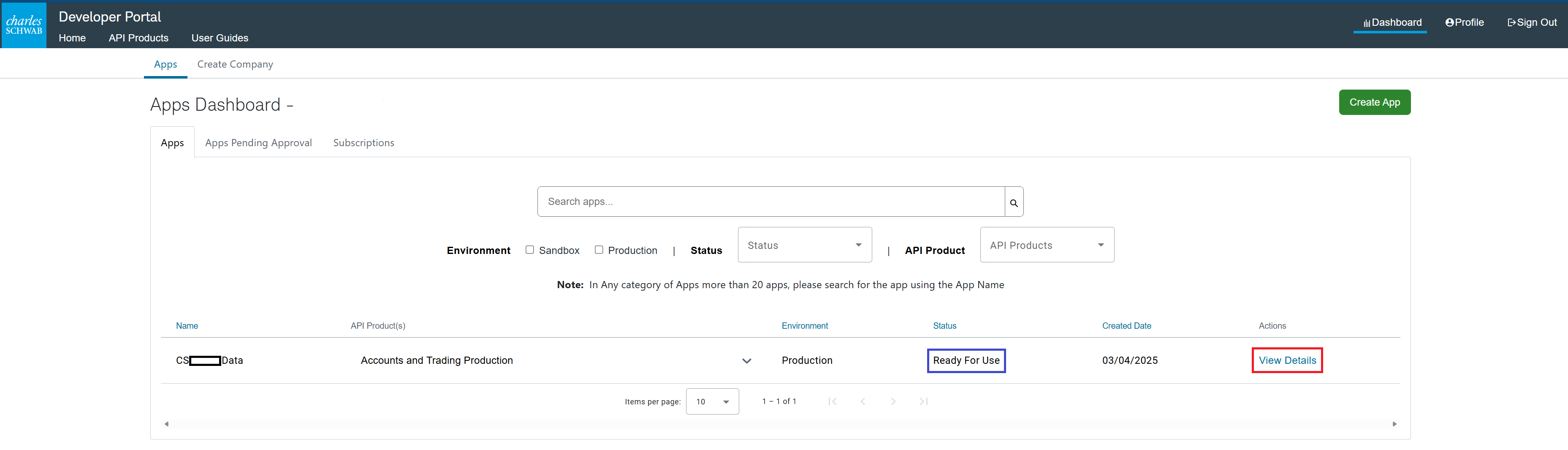
Back on the Apps Dashboard, click View Details on your new app.
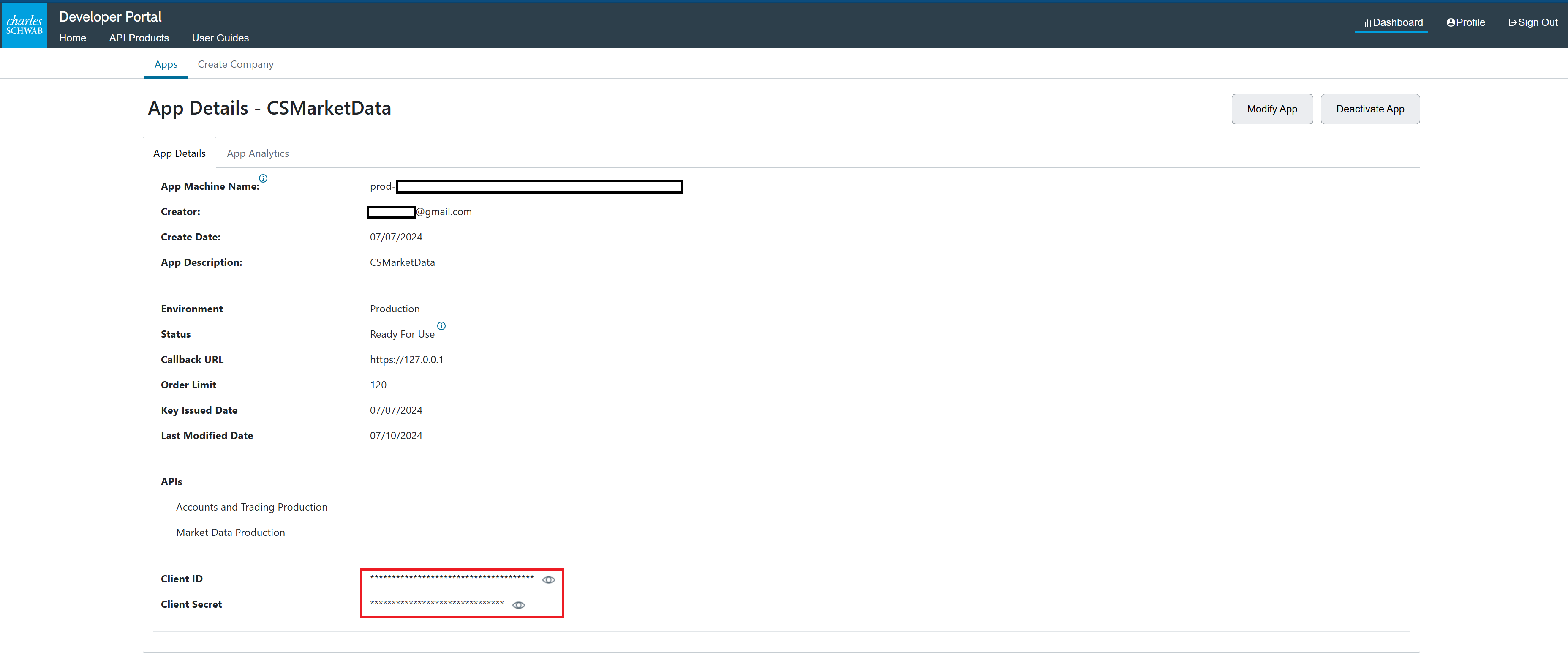
At the bottom of the details you'll find your Client ID and Client Secret (click the eye icons to reveal them). These are what StrategyXL calls your App Key and Secret — copy both. They never leave your machine.
This is the part you'll repeat: Schwab's sign-in expires about every seven days, so every so often you'll click Connect and run through this again (it's quick).
In Excel, open the StrategyXL ribbon → Schwab Connection,
and paste in your App Key (Client ID), Secret
(Client Secret), and the same https://127.0.0.1
callback.
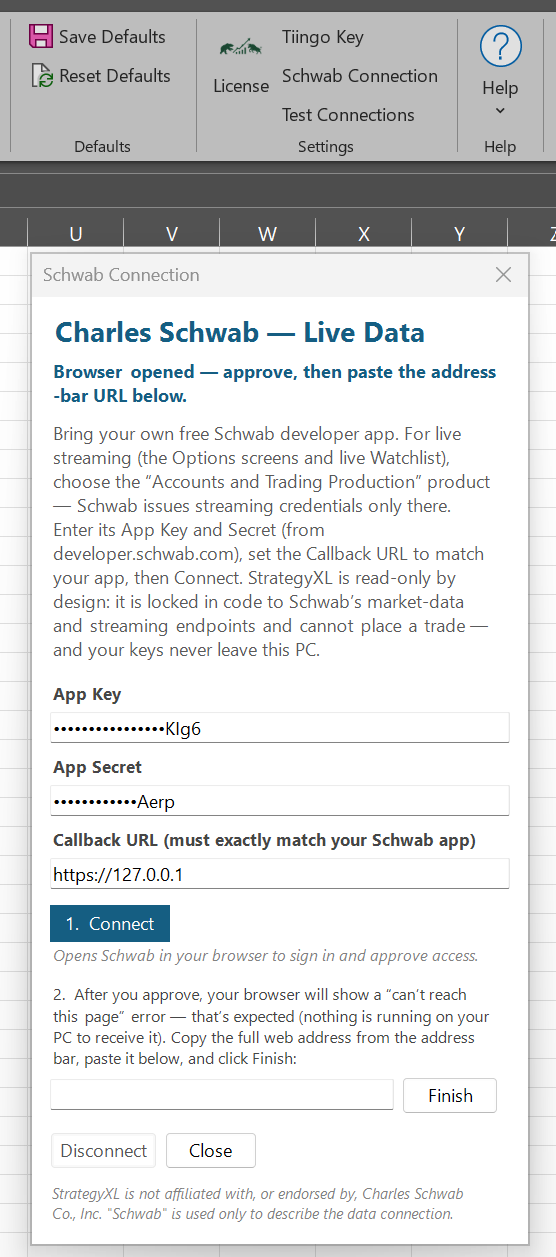
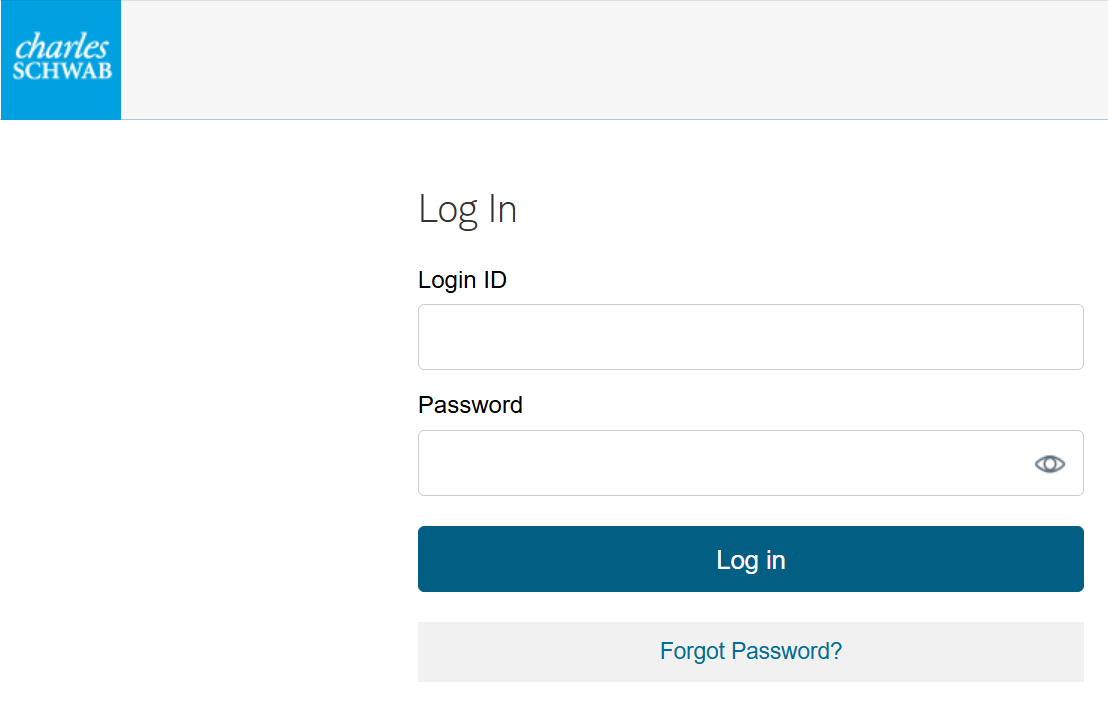
Click Connect — Schwab opens in your browser. Log in with your regular Charles Schwab brokerage account here — not your developer-portal login.
Schwab shows its Trader API End User Terms and Conditions. Check the box and click Continue.
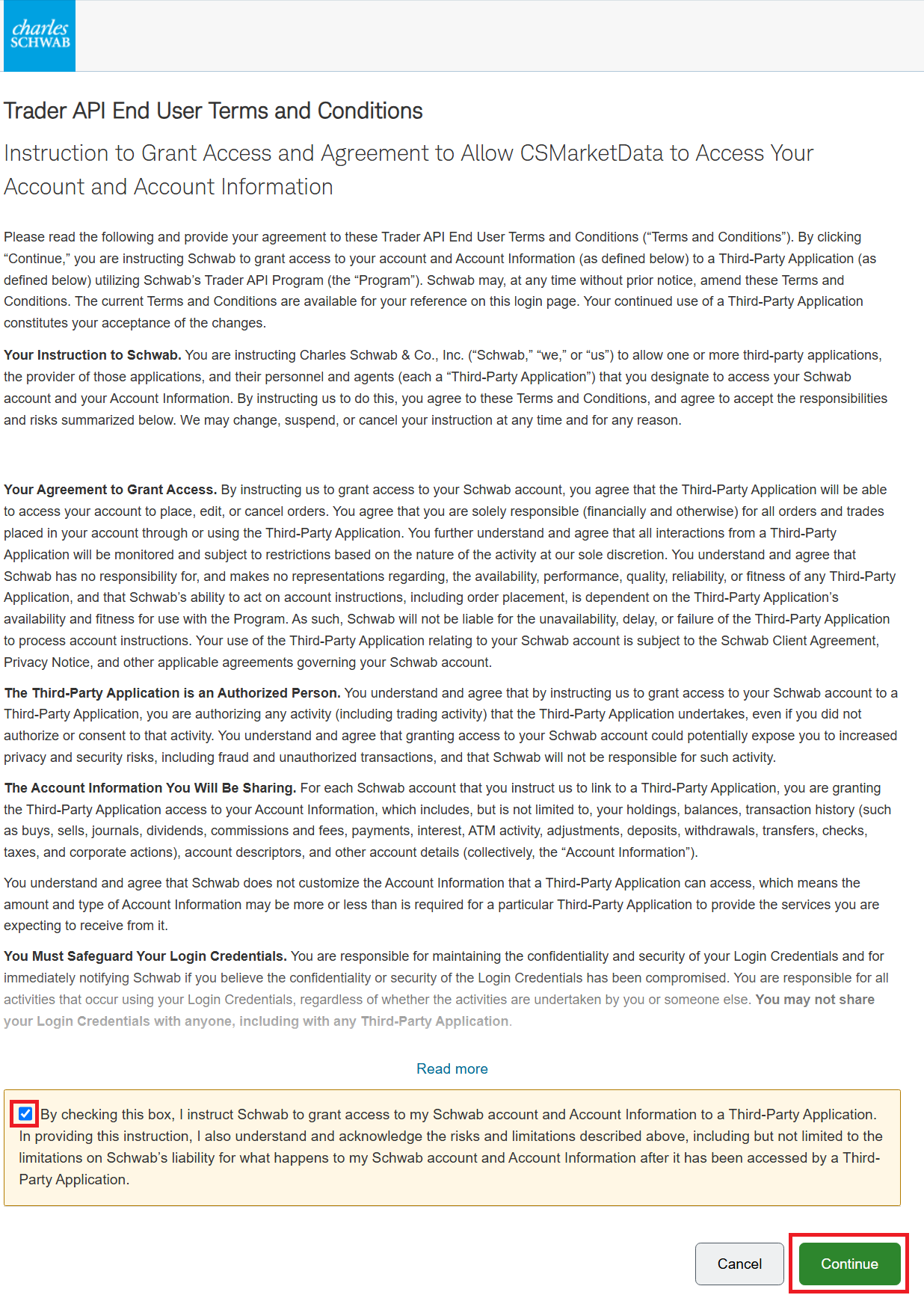
These are Schwab's standard terms for its entire Trader API program, so they're written broadly — they mention placing orders and sharing account information because the same terms cover apps that do trade. StrategyXL doesn't. It's read-only and locked in code to Schwab's market-data and streaming endpoints — it never places, edits, or cancels orders, and it doesn't read your balances, holdings, or transactions. You also never give StrategyXL your Schwab password (you just logged in on Schwab's own page), and the app's Order Limit is 0 (Part 3), so Schwab caps order requests at zero anyway.
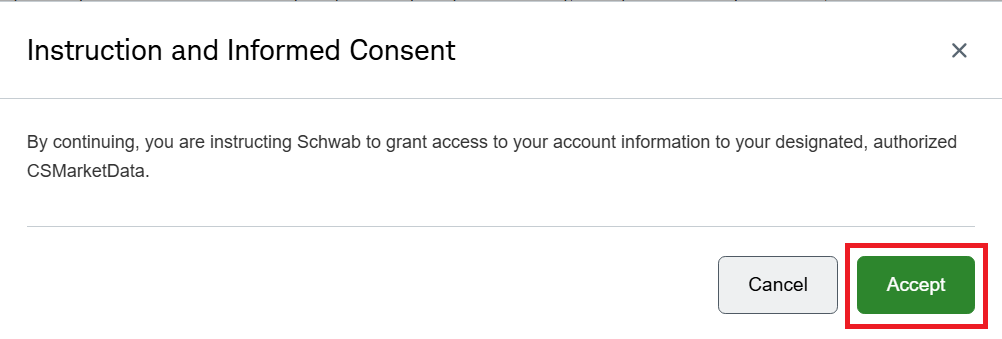
An Instruction and Informed Consent box appears — click Accept.
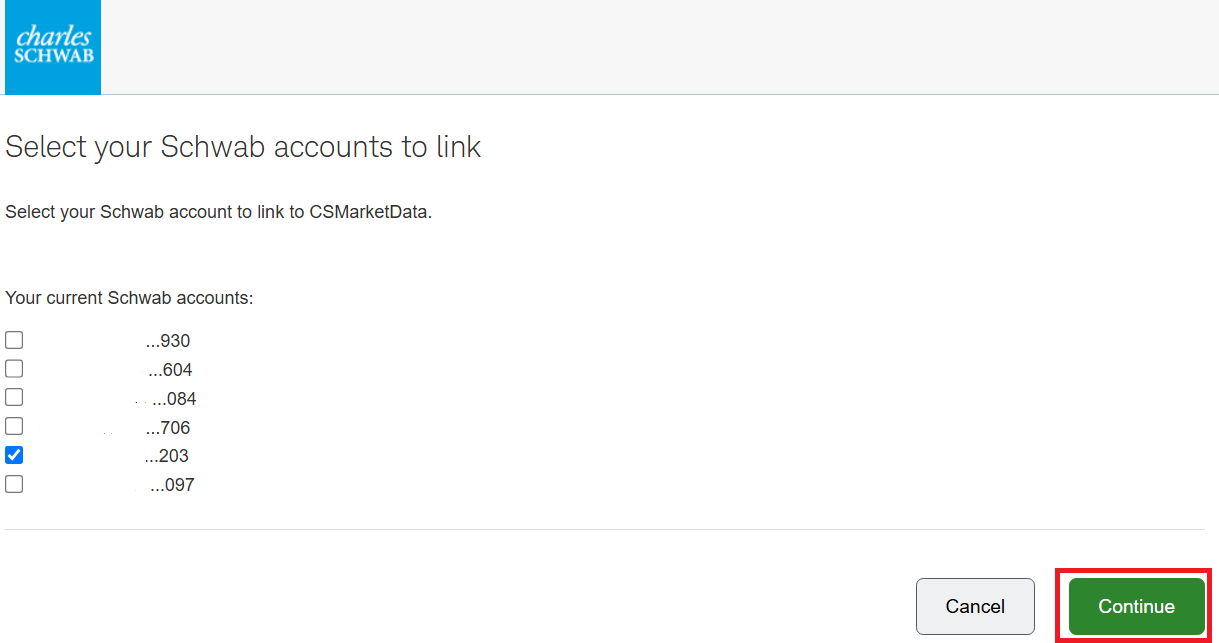
Choose an account to link. If you have more than one, pick any single account — StrategyXL doesn't trade, so it doesn't matter which, and you only need one. Click Continue.
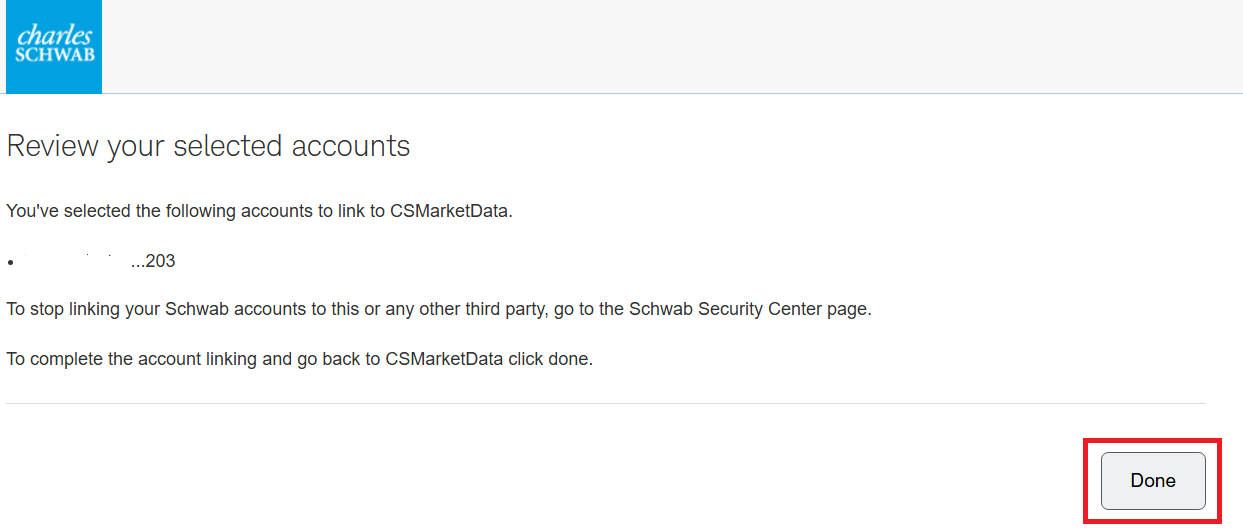
Review your selection and click Done.
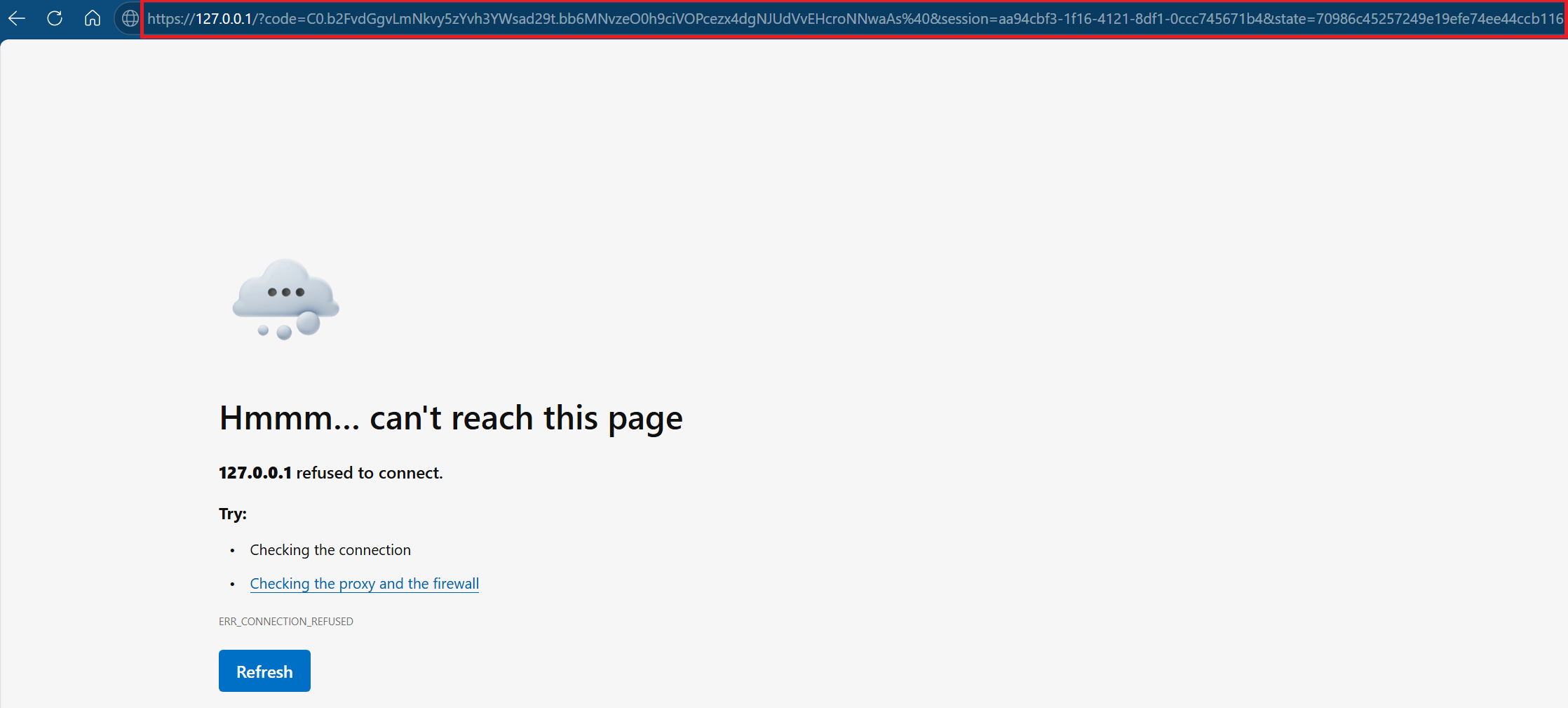
Your browser lands on https://127.0.0.1
and shows a "can't reach this page" error — that's
expected (nothing is listening there, which is the point; your
sign-in code never leaves your computer). Copy the entire URL
from the address bar.
Back in the StrategyXL dialog, paste that URL into the box and click Finish. You're connected — Live Data is on.
Your tokens are stored encrypted on your PC (Windows DPAPI). StrategyXL refreshes your access silently; Schwab expires the underlying sign-in about every seven days, so once in a while you'll run Part 4 again — a few seconds.
Your license covers two PCs, and snapshots work on both at once. Live streaming is one machine at a time — stream on one PC at a time; switching machines drops the other and may prompt a reconnect. Your license is never affected.
StrategyXL only ever calls Schwab's market-data endpoints — a transport-level allow-list blocks anything else before a request is sent, and there is no order or account endpoint anywhere in the product. StrategyXL cannot place a trade.
Back to Live Data for what the connection unlocks.
StrategyXL is an independent product and is not affiliated with, endorsed by, or sponsored by Charles Schwab & Co., Inc. "Charles Schwab" is a trademark of its respective owner.
Stuck on a step? — every message gets a real reply.